These are the steps from the Reel, expanded with the official commands, a real test run and prompts you can copy. Every command and prompt below has a Copy button.
Quick answer: how to use UI UX Pro Max in Claude Code
UI UX Pro Max is a free, MIT licensed design skill for AI coding agents. It helps Claude Code choose a page pattern, style, colors, fonts and things to avoid for your type of business, and then build with them.
- Check Python 3 with
python3 --version. - In Claude Code, run
/plugin marketplace add nextlevelbuilder/ui-ux-pro-max-skilland then/plugin install ui-ux-pro-max@ui-ux-pro-max-skill. Or runnpx ui-ux-pro-max-cli init --ai claudein your project. - Restart Claude Code.
- Ask it to generate a design system for your business, then build the page from that design system.
Key takeaways
- Open source and MIT licensed. About 154.6K GitHub stars on 27 Nov 2026.
- Per the README: 80 searchable UI styles (51 active), 194 color palettes, 74 font pairings, 194 industry reasoning rules, 34 landing page patterns and 22 tech stacks.
- Works in Claude Code and many other agents (Cursor, Codex CLI, Gemini CLI, Copilot and more).
- It guides the design. Your coding agent still writes the code, so your prompt and your real content matter.
- Our own test for a Lahore biryani restaurant returned a full design system in under a second, with no network calls.
What UI UX Pro Max is
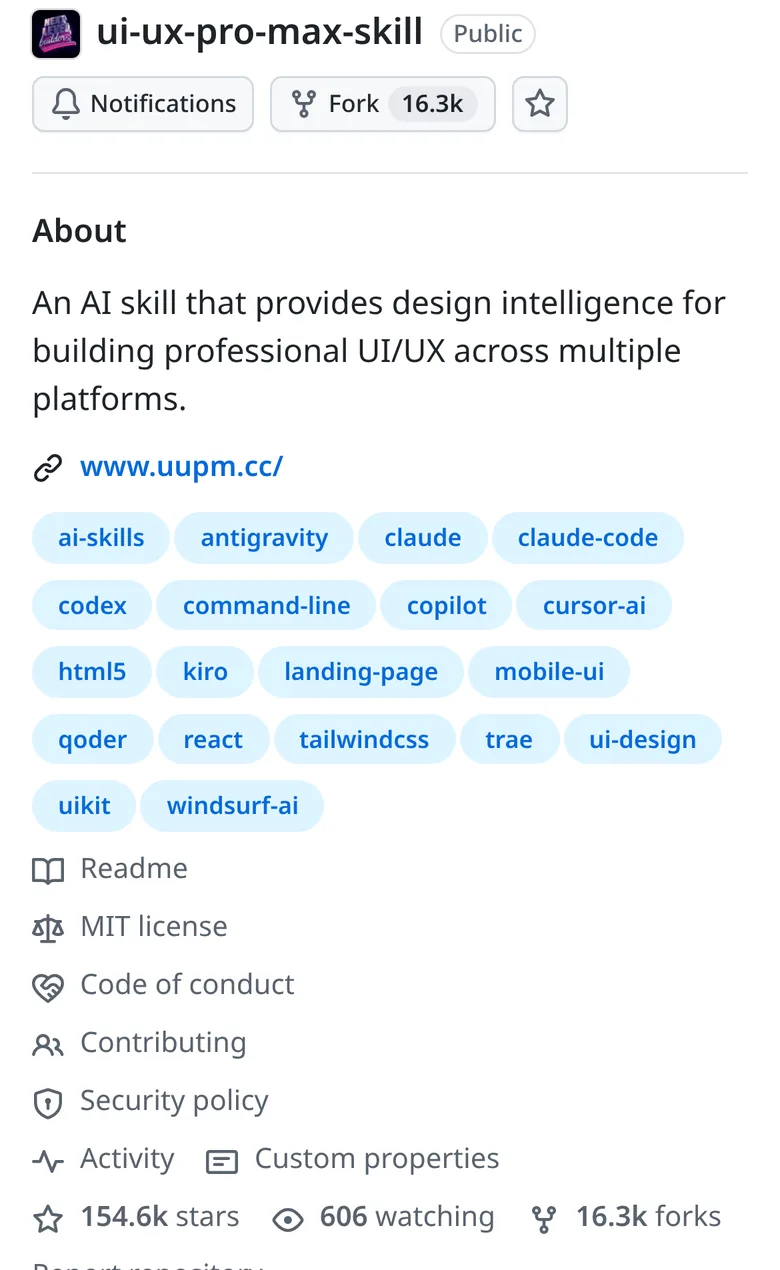
The project lives at github.com/nextlevelbuilder/ui-ux-pro-max-skill. Its own description: "An AI skill that provides design intelligence for building professional UI/UX across multiple platforms."
When you ask for UI work, the skill runs a local search over its design data (styles, palettes, typography, landing patterns and UX rules), applies industry rules, and hands your agent a complete design system: pattern, style, colors, fonts, key effects, anti-patterns and a pre-delivery checklist.
| What you get | From the README |
|---|---|
| UI styles | 80 searchable, 51 active (Glassmorphism, Bento Grid, Brutalism, Minimalism and more) |
| Color palettes | 194, one per product type |
| Font pairings | 74, with Google Fonts imports |
| Industry rules | 194 (SaaS, restaurant, clinic, fintech, spa, e-commerce and more) |
| Stacks | 22, HTML + Tailwind by default, plus React, Next.js, Vue, Laravel, SwiftUI, Flutter and others |
What you need
| Tool | You use it to | Cost |
|---|---|---|
| Claude Code (or another supported agent) | Run the skill and write the code | Your existing plan |
| Python 3 | Run the skill's search script | Free |
| Node.js (only for the CLI option) | Run npx ui-ux-pro-max-cli | Free |
Step 1: Check Python 3
DO THIS
- Open a terminal.
- Copy the command below, paste it and press Enter.
- If you see a version number like Python 3.12, you are ready.
python3 --version
THEN
If Python is missing, install it yourself from python.org or your package manager (Homebrew, apt or winget). The README asks agents not to install software for you, so Claude will ask you to do it. Then go to Step 2.
Step 2: Install the skill in Claude Code
DO THIS
- Open Claude Code in your project folder.
- Paste the first command and press Enter.
- Paste the second command and press Enter.
/plugin marketplace add nextlevelbuilder/ui-ux-pro-max-skill
/plugin install ui-ux-pro-max@ui-ux-pro-max-skill
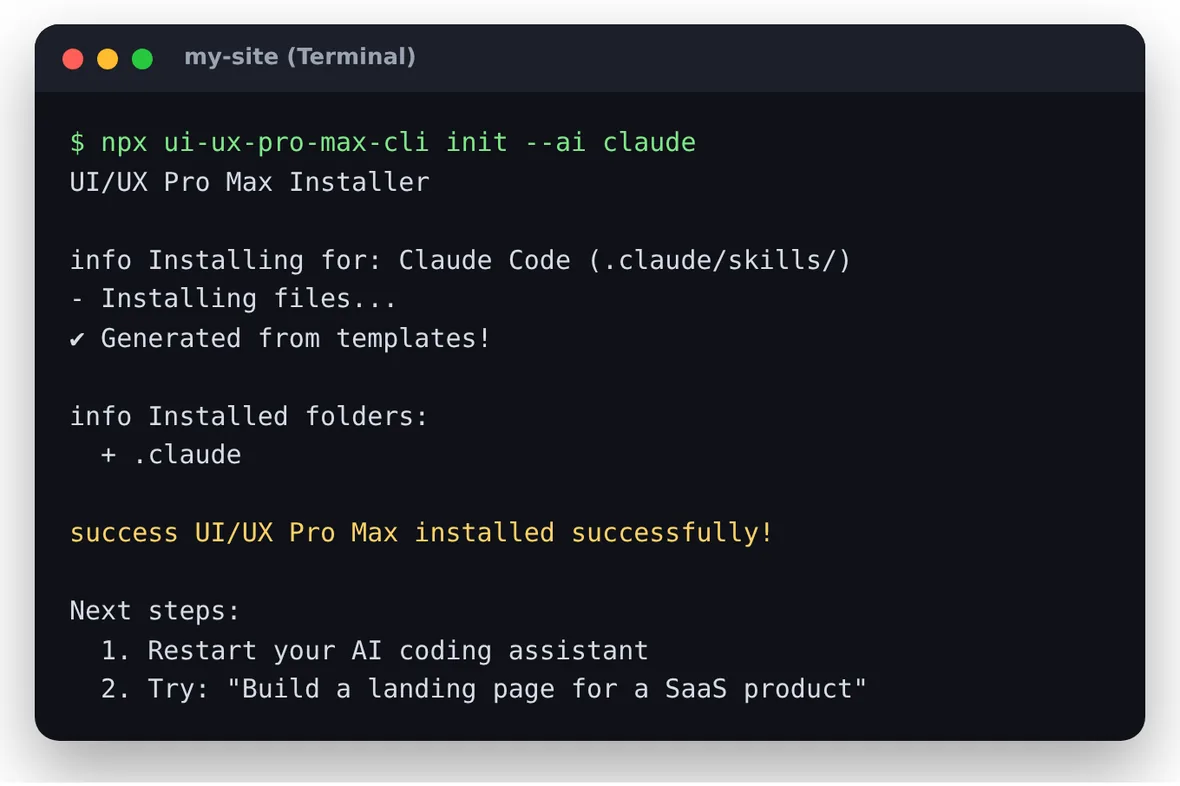
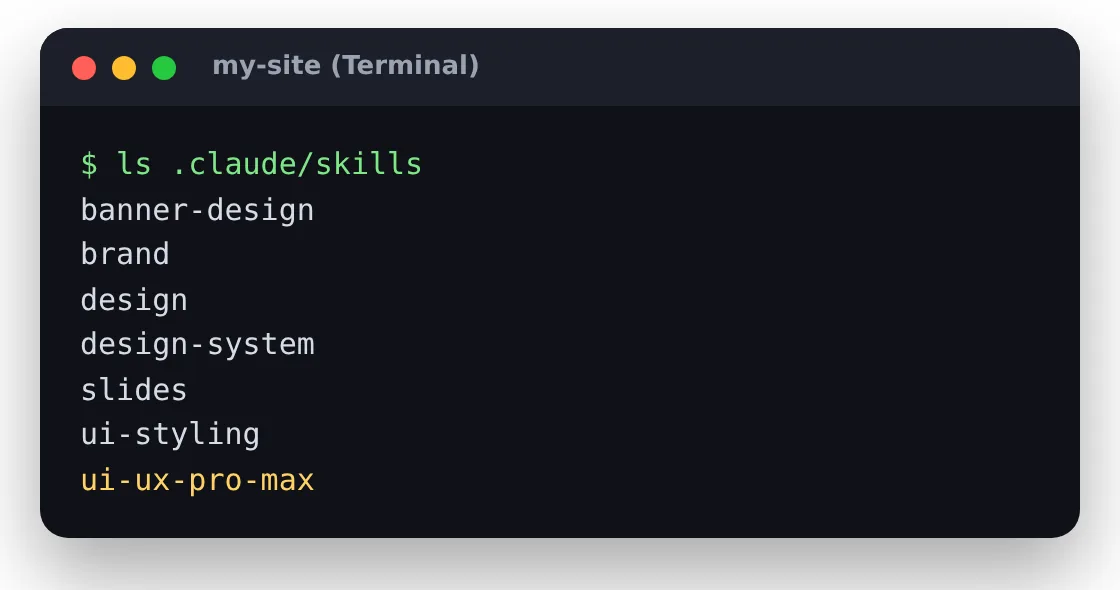
Prefer the terminal? The official CLI installs the same skill into your project. This is what it printed in our test:
cd /path/to/your/project
npx ui-ux-pro-max-cli init --ai claude
npm install -g ui-ux-pro-max-cli
uipro init --ai claude --global
THEN
Restart Claude Code so it loads the new skill, then go to Step 3.
MAKE IT YOURS
Using Cursor, Codex CLI or Gemini CLI instead? Swap claude for cursor, codex or gemini in the CLI command. The README lists every supported tool.
Step 3: Restart and confirm the skill is there
DO THIS
- Restart Claude Code.
- Copy the prompt below and send it.
List the skills you have available right now. Confirm that ui-ux-pro-max is installed and explain in two lines what it does and when you will use it.
THEN
Claude should name ui-ux-pro-max. The skill activates by itself when you ask for UI or UX work, so you do not need a special command. Next, generate your design system.
Step 4: Generate a design system for your business
This is the step most people skip, and it is where the premium look comes from. Ask for the design system first, before any code.
DO THIS
- Copy the prompt below.
- Replace everything in [BRACKETS] with your real details.
- Send it and read the pattern, style, colors, fonts and anti-patterns it returns.
Use the ui-ux-pro-max skill. Before writing any code, generate a design system for my project and save it with --persist.

Business type: [BUSINESS TYPE, for example a biryani restaurant with home delivery]
Brand name: [BRAND NAME]
City and audience: [CITY], [WHO YOUR CUSTOMERS ARE]
The feeling I want: [3 WORDS, for example warm, trustworthy, fast]

Show me the recommended pattern, style, colors, typography, key effects and the anti-patterns to avoid, then tell me the path of the saved MASTER.md file.
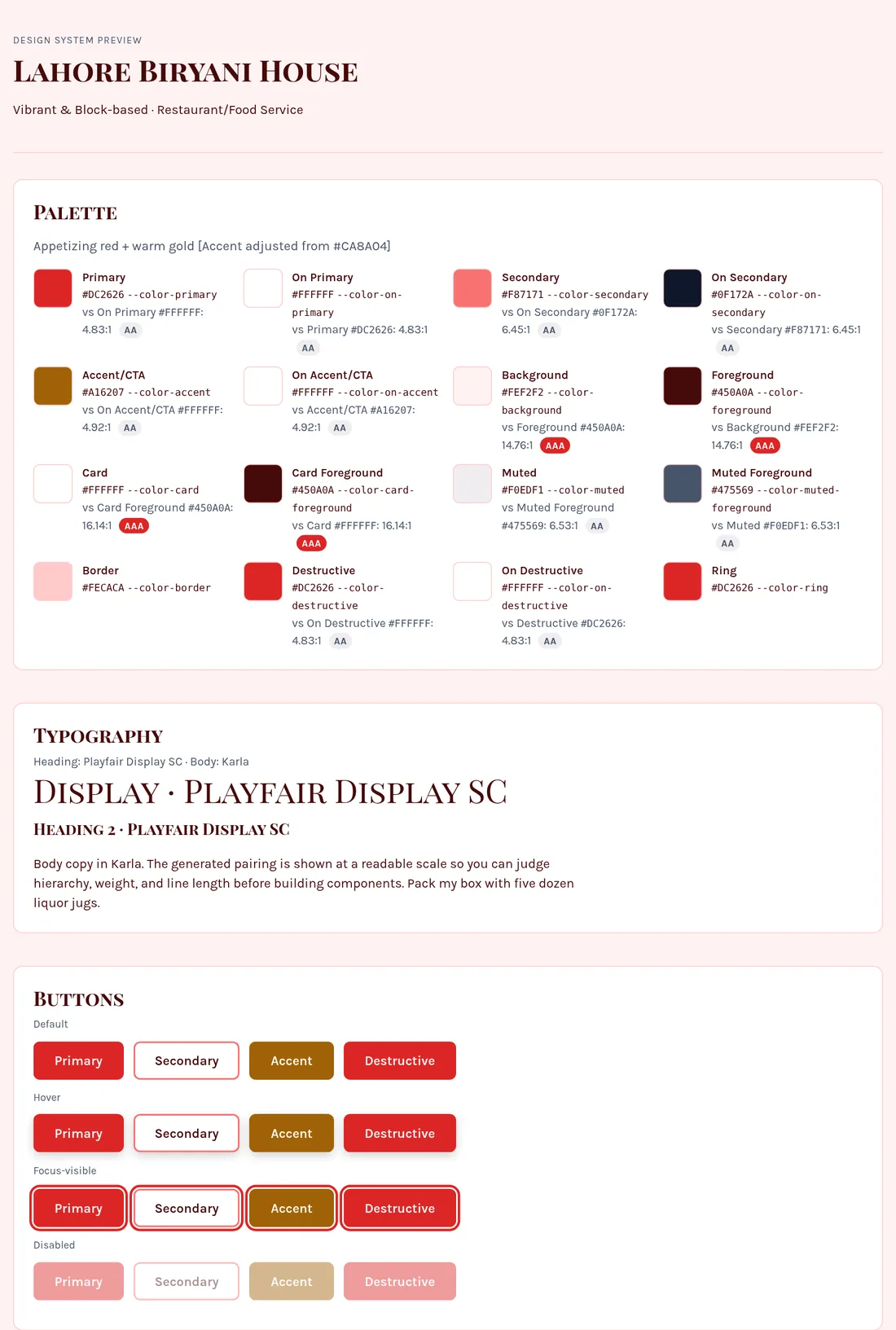
Here is the real output from our test for a Lahore biryani restaurant:
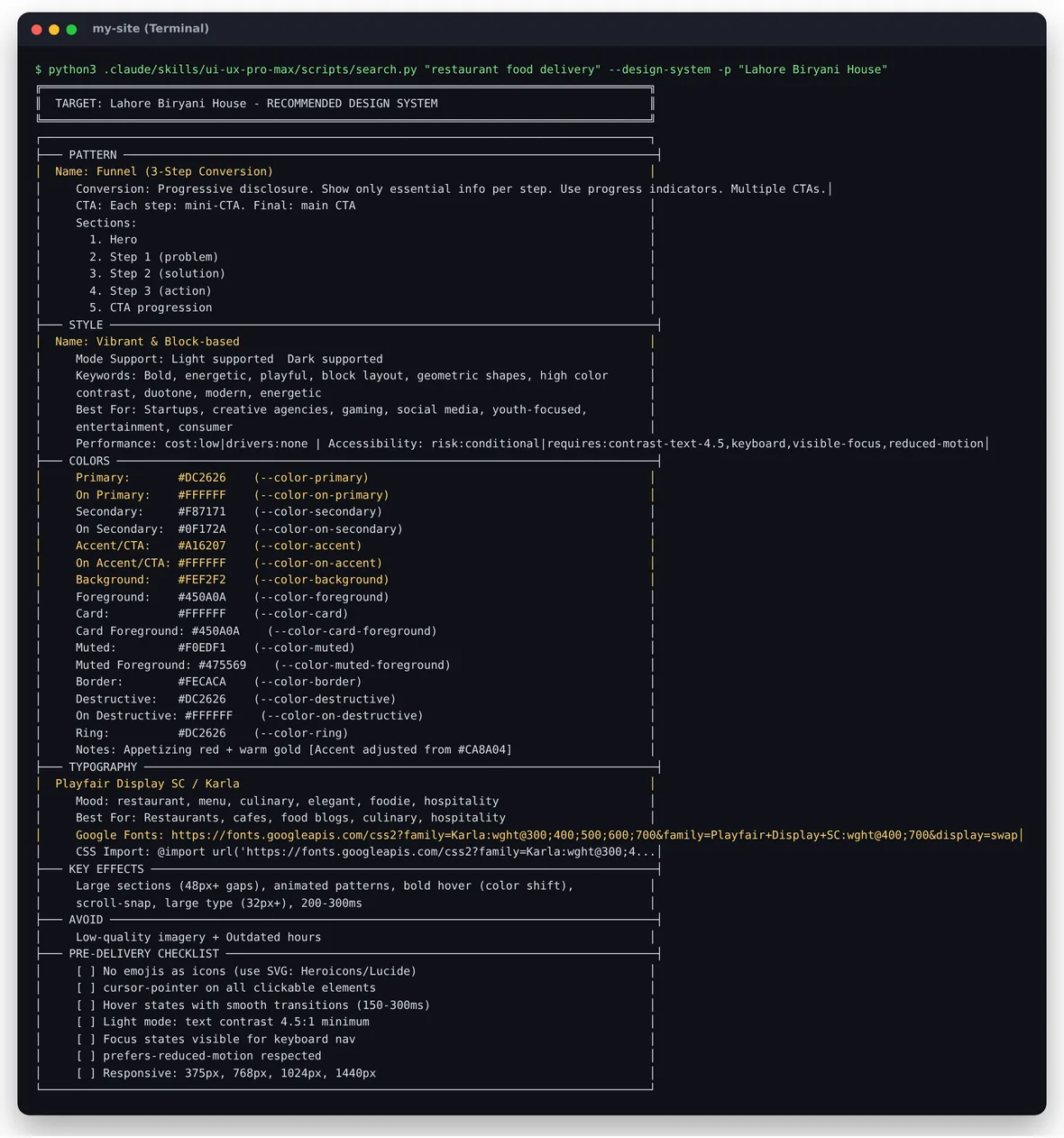
If you installed with the CLI, you can also run the generator yourself:
python3 .claude/skills/ui-ux-pro-max/scripts/search.py "[BUSINESS TYPE]" --design-system --persist -p "[BRAND NAME]"
The latest version on GitHub can also write a visual preview page next to MASTER.md with --preview. This is the preview it generated for the same restaurant:
THEN
You now have a saved design system in design-system/[project-slug]/MASTER.md. Next, build the page from it.
MAKE IT YOURS
Be specific about the business. "Restaurant" and "fashion e-commerce" gave us completely different patterns, palettes and fonts. Generic input gives generic design.
Step 5: Build the page from the design system
DO THIS
- Copy the prompt below.
- Replace the [BRACKETS], and paste your real prices, address, phone number and reviews.
- Send it, then open the page in your browser on desktop and phone.
Read design-system/[project-slug]/MASTER.md and follow it exactly: colors, fonts, spacing, effects and anti-patterns.

Build a one-page website for [BRAND NAME], a [BUSINESS TYPE] in [CITY].
Sections: [Hero, Menu or Services, Why choose us, Reviews, Location and hours, Contact].
Main action for visitors: [ORDER ON WHATSAPP / BOOK A CALL / BUY NOW].
Stack: [HTML + Tailwind / Next.js / React].

Use my real content, not placeholder text:
[PASTE YOUR PRICES, ADDRESS, PHONE NUMBER AND 3 REAL REVIEWS]

Use SVG icons, not emojis. Make it responsive at 375px, 768px, 1024px and 1440px.
Before you finish, run the skill's pre-delivery checklist and list anything that still fails.
THEN
You should get a full page in the chosen style. If something feels off, tell Claude exactly what (for example "the hero feels crowded, add more white space") instead of starting again.
MAKE IT YOURS
Add one detail only your business has: a real photo of your shop, your signature dish, a local landmark near your location or a guarantee you actually offer. That is what makes the page feel like yours and not a template.
Step 6: Restyle a website you already have (optional)
Already have a site built with React or another framework? The README includes an official prompt for applying a theme without breaking your app. Swap the style name for any style in the catalog.
Use the ui-ux-pro-max skill to retheme my existing React app.
Target style: Minimalism & Swiss Style.
First inspect the framework and styling-library versions, routes, components,
styles, and existing theme tokens. Keep the current component structure,
behavior, and business logic.
Reuse and update the existing semantic tokens for colors, typography, spacing,
radii, shadows, and interaction states; add missing tokens rather than creating
a parallel theme system. Replace hard-coded styles one component at a time.
Verify contrast, keyboard focus, responsive layouts, and all supported light/dark
modes. Summarize changed files and any remaining hard-coded styles.
Building more than one page? Generate a page override and use the README's retrieval prompt so every page follows the master rules:
I am building the [Page Name] page. Please read design-system/[project-slug]/MASTER.md.
Also check if design-system/[project-slug]/pages/[page-name].md exists.
If the page file exists, prioritize its rules.
If not, use the Master rules exclusively.
Now, generate the code...
Step 7: Run the pre-delivery check
DO THIS
- Open the finished page in Claude Code.
- Copy the prompt below and send it.
Use the ui-ux-pro-max skill to review this page against its pre-delivery checklist:
text contrast of at least 4.5:1, visible focus states for keyboard users, cursor-pointer on every clickable element, prefers-reduced-motion respected, SVG icons instead of emojis, and layouts that work at 375px, 768px, 1024px and 1440px.
Fix everything that fails and give me a short list of what you changed.
THEN
You end up with a page that looks designed, reads well on a phone and passes basic accessibility checks.
Before and after: a real example from the repo
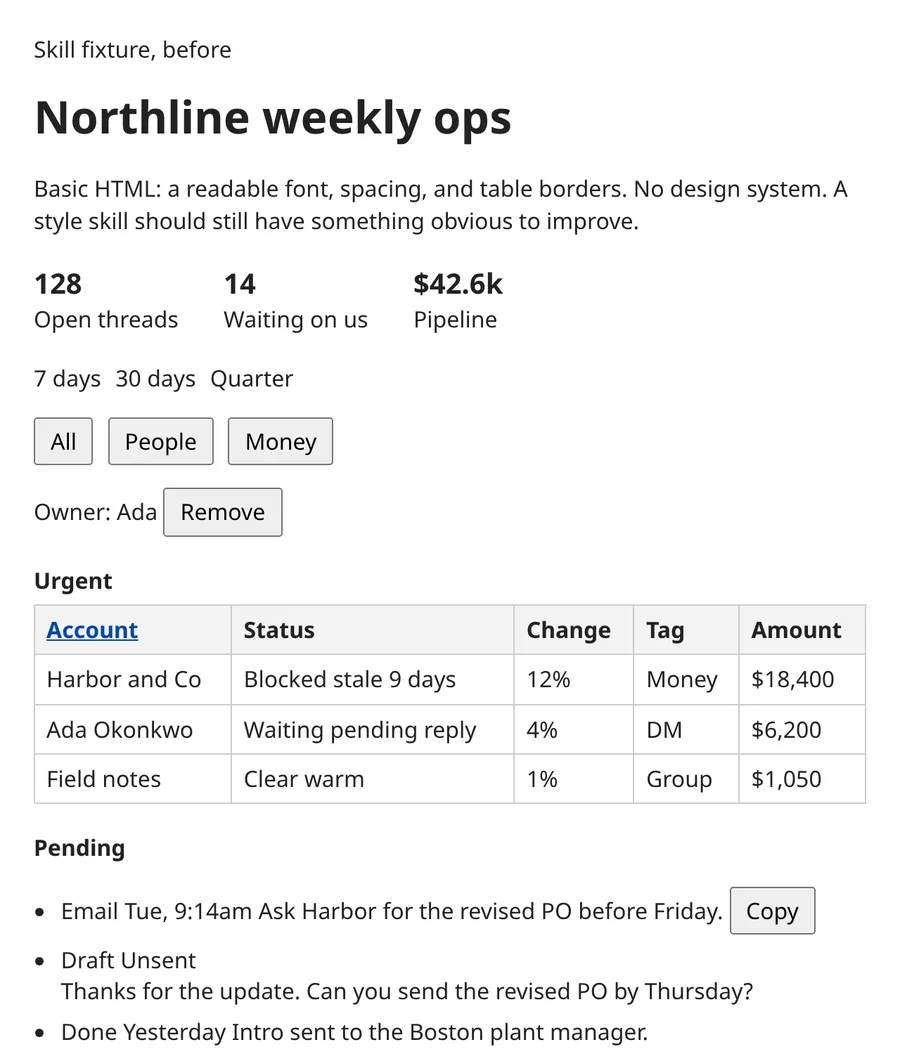
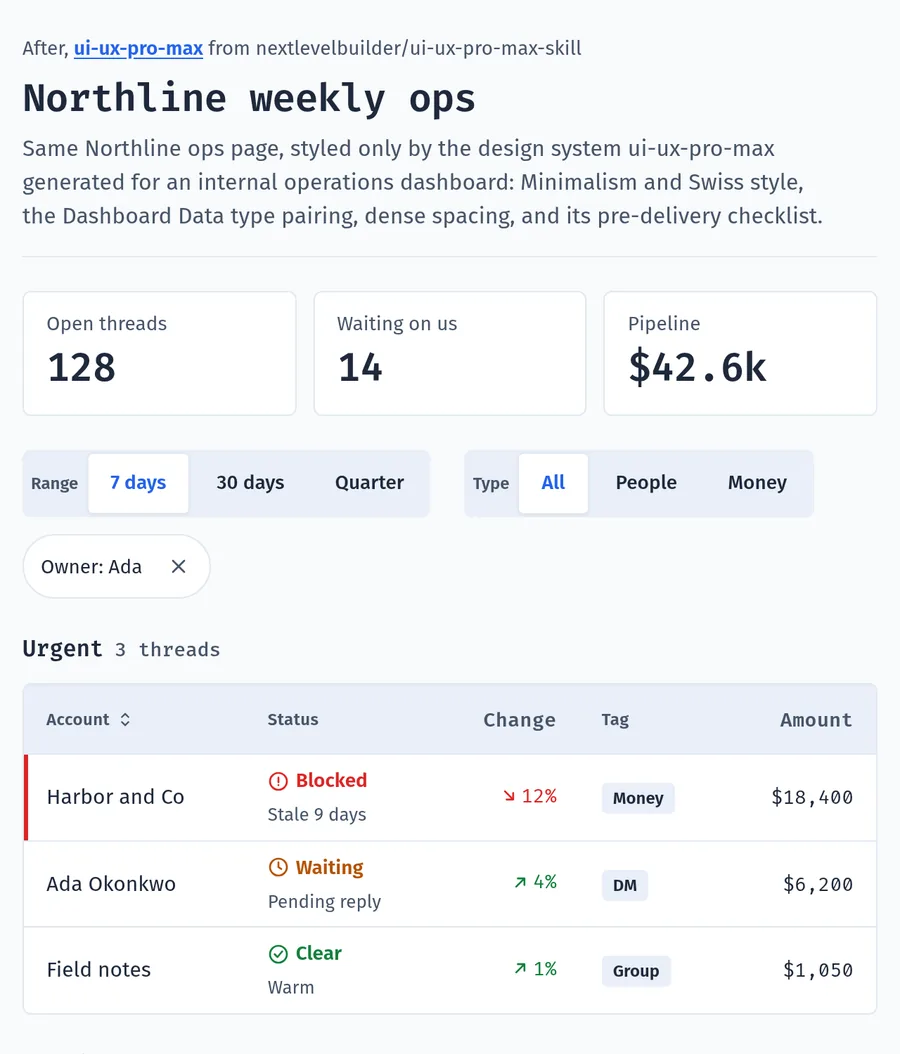
The README links a plain operations dashboard and the same page restyled using only the design system UI UX Pro Max generated for it. The README labels this an illustrative, community-contributed example, not an official benchmark.
Make it yours: tips so your site does not look like everyone else's
- Pick a style on purpose. Ask for three style directions first and choose one. The catalog has 80 searchable styles, so do not settle for the first default.
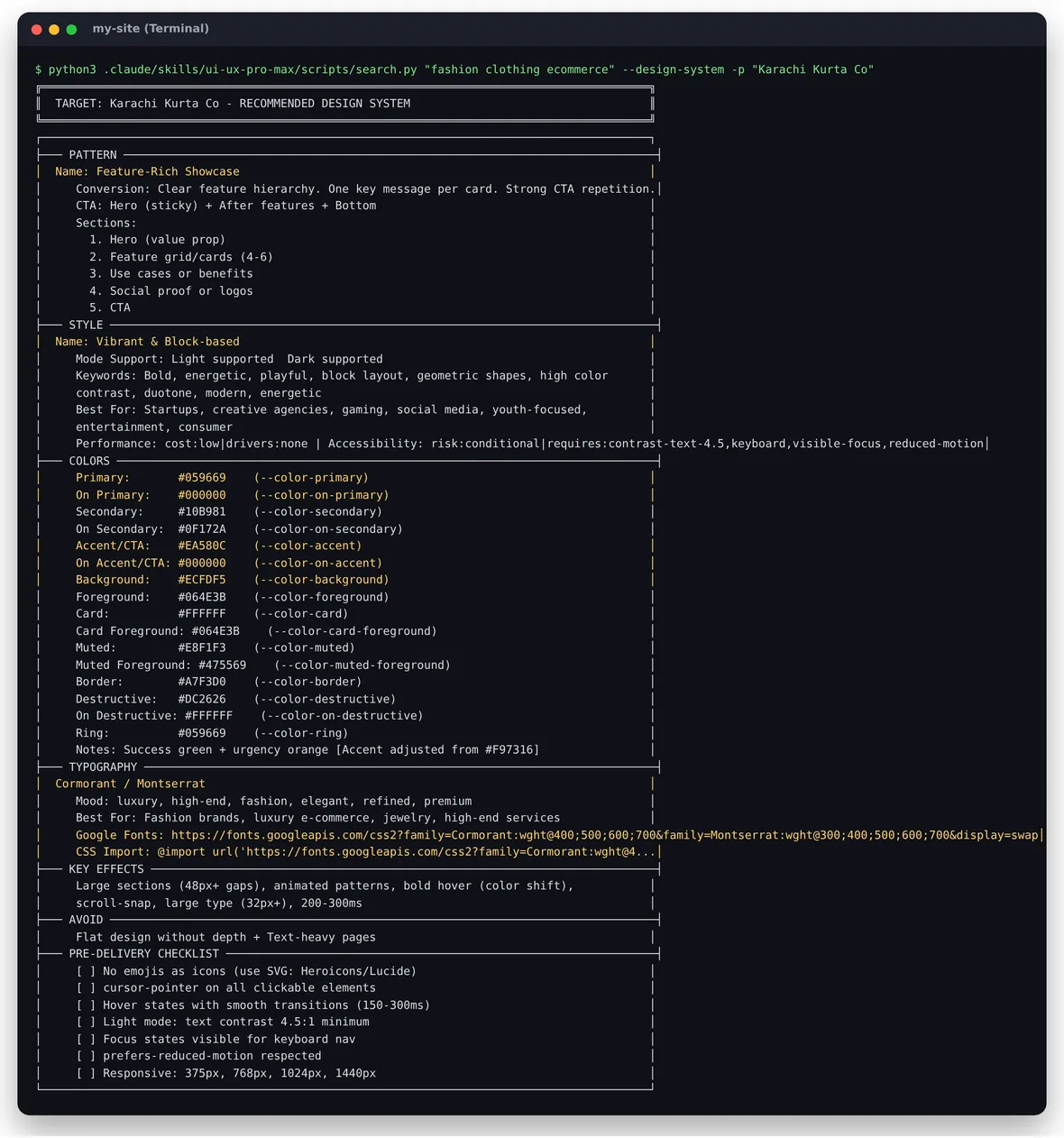
- Run two business types and compare. We ran "fashion clothing ecommerce" for a Karachi kurta brand and got a different pattern, a green and orange palette and Cormorant with Montserrat. Seeing two results side by side helps you brief Claude better.
- Feed it your real content. Real prices, real reviews and real photos beat any palette.
- Use the anti-patterns list. If the design system says avoid something, check your page for it before you publish.
- Save the master file in your repo. MASTER.md keeps every future page consistent, even in a new Claude session.
Use the ui-ux-pro-max skill. Suggest 3 different style directions from your catalog for [BRAND NAME], a [BUSINESS TYPE] for [AUDIENCE]. For each, give the style name, the palette, the font pairing and one line on why it fits. Wait for me to pick one before you write any code.
Troubleshooting
- Python not found: install Python 3 yourself, then try again. The skill will not install it for you.
- Install errors in older versions: the README says versions before v2.5.1 used symlinks that some tools could not handle. Use the CLI installer:
npx ui-ux-pro-max-cli init --ai claude. - Global npm install permission error: skip the global install and use
npx ui-ux-pro-max-cli init --ai claude. - Design system output looks cut off: add
--jsonto the search command to get the full fields.
Get more prompt packs
I add a new guide with every Reel. Join the email list below and you get a mail when the next one is live. You can also browse the AI Prompts hub, including the FreeLLMAPI setup guide and stickman video prompts.
Official sources used for this page: the UI UX Pro Max README and uupm.cc, checked on 27 Nov 2026. Star counts and catalog numbers change over time. The npm CLI we tested (version 2.15.0) bundled 192 palettes, while the GitHub main branch lists 194.